DrivePair Wireless CarPlay Adapter: The Complete Guide
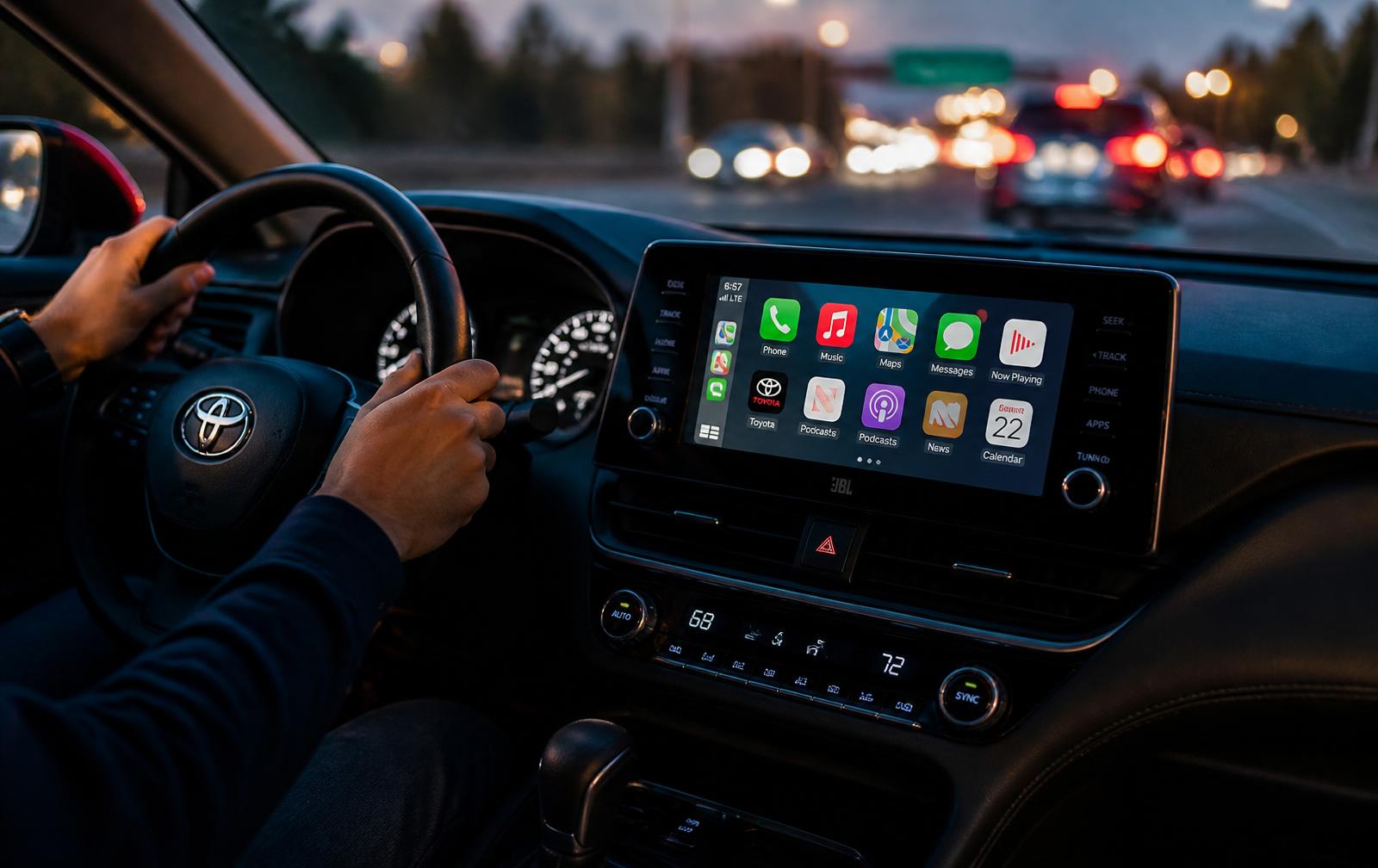
The DrivePair Wireless CarPlay Adapter is a compact plug-and-play dongle that converts the factory wired CarPlay or Android Auto system already built into your car into a fully wireless experience. Instead of digging out a cable every time you sit behind the wheel, you leave your phone in your pocket, bag or cup holder and let the adapter do the work. Within roughly ten seconds of starting the engine, your dashboard screen wakes up with maps, music, messages and calls exactly the way you already know them, only without a single wire between the phone and the console.
Most modern vehicles sold in the last decade shipped with wired smartphone mirroring. It works, but it ages badly: charging ports wear out, cables fray, connectors get loose, and the constant plugging and unplugging becomes a small daily annoyance that adds up over thousands of drives. The DrivePair Wireless CarPlay Adapter solves that problem at the source. It occupies the USB port once, permanently, and then bridges your phone to the head unit over a private 5GHz Wi-Fi link paired with Bluetooth 5.0 for handshaking. The result is a wireless upgrade that costs a fraction of a new head unit and requires no wiring, no dash disassembly and no trip to an installer.
How the DrivePair Wireless CarPlay Adapter Works
The adapter uses a two-radio approach. Bluetooth 5.0 handles the initial discovery and pairing between your phone and the dongle, which is the low power, low bandwidth part of the job. Once the phones agree on identity, the heavy lifting moves to a dedicated 5GHz Wi-Fi channel. That channel carries the video stream of the CarPlay or Android Auto interface, the touch input coming back from your dashboard, and the audio for navigation prompts, music and phone calls. Because 5GHz is far less congested than the 2.4GHz band used by older accessories, the connection stays stable even in dense city traffic where dozens of other devices are broadcasting around you.
Your car does not know the difference. To the head unit, DrivePair looks like a phone that is plugged in with a cable, which is precisely why every native control keeps working. Steering wheel buttons still skip tracks and answer calls. The rotary dial or touchpad still moves the cursor. Voice assistants, Siri and Google Assistant, still respond to the microphone in the cabin. The factory reversing camera, parking sensors and radio all continue to behave normally, and switching between the radio and the CarPlay screen is exactly as it was before.
Setup: Genuinely Plug and Play
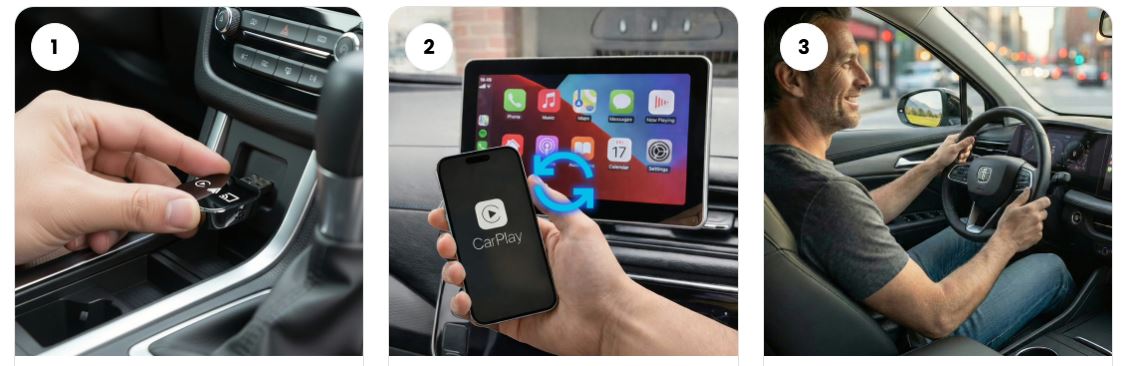
Setting up a wireless CarPlay adapter is often assumed to be complicated. It is not. Plug DrivePair into the USB port your car uses for CarPlay or Android Auto, using the included USB-C adapter if your vehicle has the newer port shape. The dongle powers up from the port itself, so there is no separate battery to charge and nothing to remember. On your phone, open Bluetooth and select the DrivePair device that appears, then accept the prompt asking to use CarPlay or Android Auto. That is the whole procedure and it happens once.
From then on, the pairing is remembered. Start the car, and the adapter wakes with the ignition, finds your phone, and pushes the interface to your screen automatically while you are still fastening your seatbelt. If more than one driver uses the vehicle, both phones can be paired and the adapter will connect to whichever one is present. Because the dongle is small enough to disappear behind a trim panel or inside the center console, you can tuck the cable out of sight and forget it exists.
Vehicle Compatibility
DrivePair is designed for vehicles that already support wired CarPlay or wired Android Auto from the factory, which covers more than 600 models across mainstream and premium brands including Toyota, Honda, Ford, Chevrolet, Hyundai, Kia, Nissan, Mazda, Volkswagen, Subaru, Jeep, Ram, BMW, Mercedes-Benz, Audi and Volvo, roughly from the 2016 model year onward. The simple compatibility test is this: if plugging your phone in with a cable brings up CarPlay or Android Auto on your dashboard today, the adapter will make that same experience wireless. If your car has no smartphone mirroring at all, the adapter cannot add it, because it works by converting an existing feature rather than creating a new one.
On the phone side, DrivePair supports iPhone models running recent versions of iOS and Android handsets running Android 11 and above, including Samsung Galaxy, Google Pixel, OnePlus, Motorola and Xiaomi devices. Firmware on the adapter can be updated over the air, so support for newer phone releases arrives without you buying new hardware.
What Wireless Actually Changes Day to Day
The benefit that owners mention most often is not a technical one. It is the removal of friction. A short errand run, the school pickup, a five minute drive to the store, all of those trips were previously not worth plugging in for, which meant navigation and podcasts stayed on the phone screen and out of reach. With a wireless adapter, every trip gets the full dashboard experience because there is nothing to set up. Passengers stop fighting over the single charging cable. Your phone port stops taking mechanical abuse, and for anyone who has replaced a worn charging socket, that alone justifies the upgrade.
There are practical safety gains too. Fumbling with a cable while pulling out of a parking space is a distraction. Handing your phone to a passenger to plug in is a distraction. With DrivePair, your route loads before you shift into drive, and your hands stay on the wheel. Because the adapter keeps audio, navigation and calls on the car's system rather than the phone speaker, prompts are clearer and calls sound better to the person on the other end.
Build Quality and Design
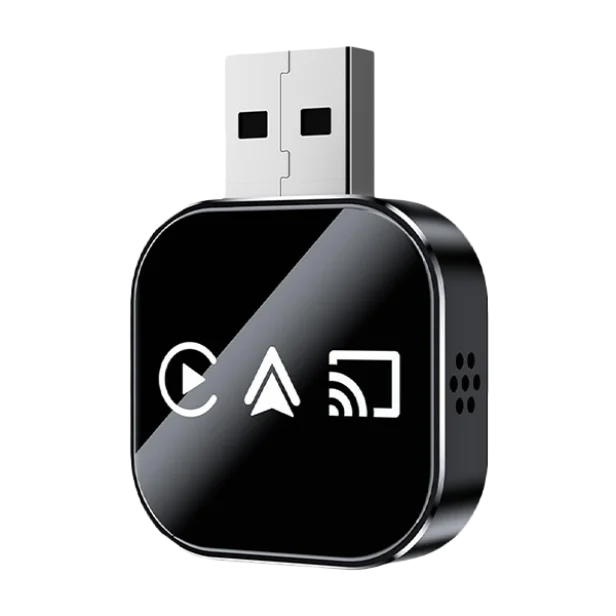
The housing is a glossy, rounded square roughly the size of a car key fob, with a ventilated side panel that keeps the chipset cool during long summer drives. It weighs almost nothing, so it does not put strain on the USB port, and the low-profile shape means it does not stick out into the cabin or interfere with the gear selector, cup holders or storage cubbies. There are no buttons to press and no screens to read, which is exactly right for a device that should be invisible once installed.
Inside, an upgraded chipset drives the wireless link with lower latency than earlier generations of adapters. In practice that means the map scrolls smoothly as you swipe, a track skip registers immediately, and audio stays in sync rather than drifting behind the interface. Power draw is modest enough that the adapter runs comfortably on the current the factory port supplies.
Getting the Best Performance
A few habits help. Keep the phone's Bluetooth and Wi-Fi both switched on, because the adapter needs both radios to complete the handshake. Give the system a few seconds after the engine starts before assuming something is wrong; the ten second figure is a real average and cold starts occasionally take a moment longer. If the car has multiple USB ports, use the one marked with the smartphone or CarPlay icon, as data-only and charge-only ports look identical but behave differently. Finally, if your phone has a battery saver mode that aggressively disables background connections, exempting the CarPlay connection keeps reconnection instant.
Frequently Asked Questions
Does wireless CarPlay drain the phone battery faster? It uses more power than a wired connection because the Wi-Fi radio is active, though the difference on a typical commute is small. For long road trips, pair the adapter with a wireless charging pad or a simple charging cable and you get wireless convenience with a full battery on arrival.
Will audio quality suffer? No. The adapter carries the same digital audio stream the cable did, so music, podcasts and calls come through your car's full speaker system rather than a compressed Bluetooth profile.
Can I still charge my phone? Yes. The adapter occupies one data port; any other USB or 12V outlet in the cabin remains free for charging, and wireless charging pads work normally.
What if it does not work in my car? DrivePair ships with a 30-day money-back guarantee, so if your vehicle turns out not to be compatible you are covered.
Is the DrivePair Wireless CarPlay Adapter Worth It?
Upgrading a factory head unit to a wireless-capable aftermarket unit costs hundreds of dollars and usually means giving up steering wheel integration, factory styling and sometimes the reversing camera. DrivePair delivers the single feature most drivers actually want from that upgrade, wireless smartphone mirroring, while leaving everything else in the car untouched. It installs in under a minute, needs no tools, transfers to another vehicle whenever you change cars, and works with both iPhone and Android so it stays useful when you switch platforms.
For anyone who drives daily, the DrivePair Wireless CarPlay Adapter is one of the least expensive changes that meaningfully improves the experience of being in the car. Stock is limited during the current promotion, and the 30-day guarantee means you can try it in your own vehicle with nothing at risk.